
How to Modernise a University Microscopy Classroom?
Modernising a university microscopy classroom is best carried out in stages — starting with equipping microscopes with digital cameras, through the local network, to classroom management software. Each stage delivers measurable benefits and does not require replacing existing equipment.
The microscopy classroom is one of the most important spaces in any natural sciences, medical or pharmacy university. This is where students first independently observe specimens, learn to identify tissue structures and document research results. The quality of microscopy classroom equipment directly translates into the quality of education.
Modern digital systems allow significantly raising the standard of classes with minimal impact on existing infrastructure.
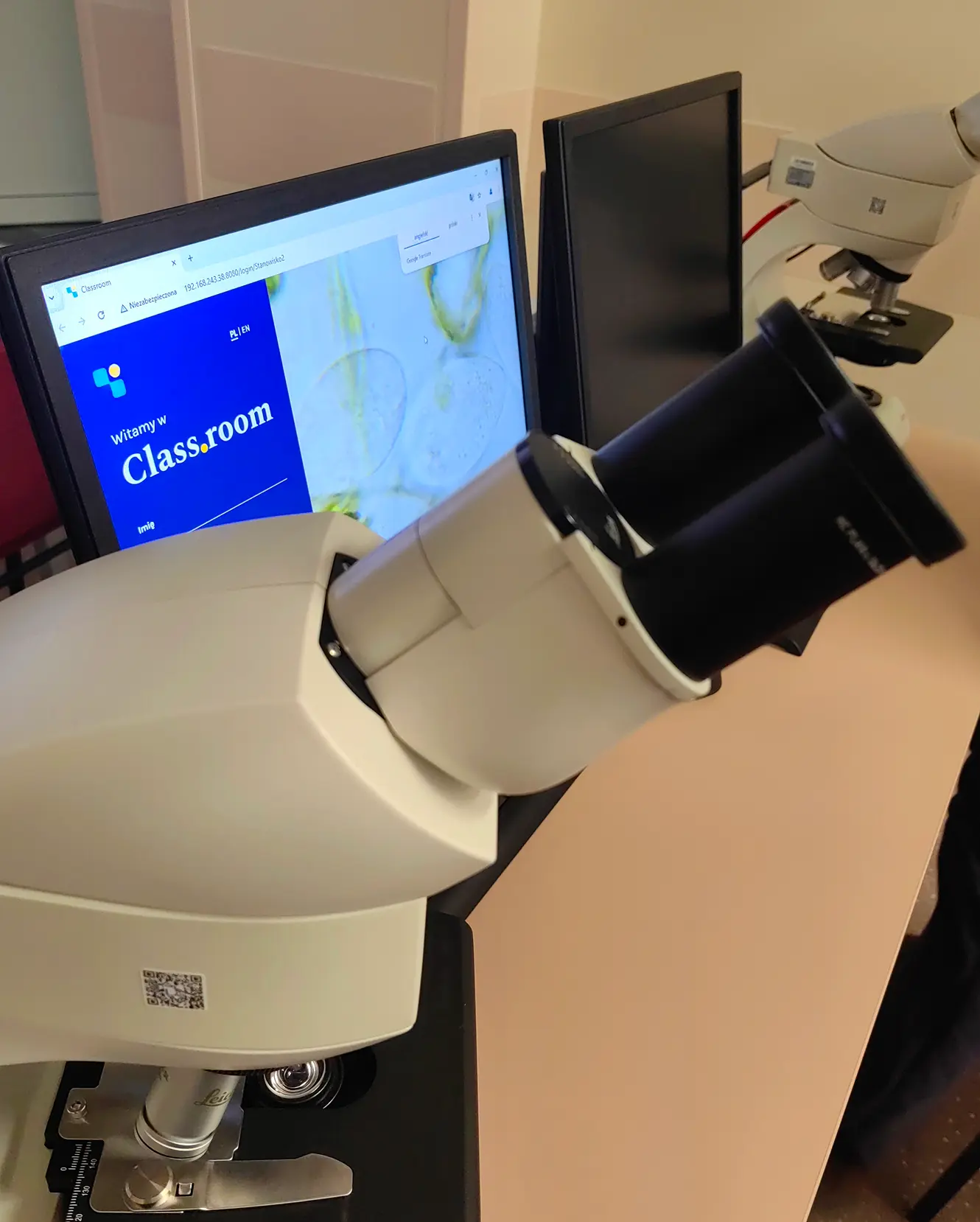
Digitising the Microscopy Classroom – Where to Start?
Digitising a microscopy classroom is a process that can be carried out in stages. There is no need to do everything at once – each stage delivers measurable benefits for instructors and students.

Why Digitise Your University Microscopy Classroom?
A traditional microscopy classroom has one fundamental limitation — the instructor cannot simultaneously see what is happening at all workstations. They walk from microscope to microscope, lose time and cannot effectively supervise the entire group.
Digitising the microscopy classroom with the Class.room system eliminates this problem. The instructor sees the image from every microscope on a single screen — in real time, without leaving their desk.

Microscopy Classroom Equipment – What Is Needed?
Microscopes
Class.room works with microscopes from leading manufacturers without requiring their replacement.
- Leica Microsystems — DM500
- Evident Olympus — CX23
- Nikon — ECLIPSE Si, Ei
- C-mount — any microscope with trinocular
Microscope cameras
Mounted between the microscope stand and eyepiece head. Selection depends on the microscope model.
- Leica DM500 → ICC50 / Ostec FS48
- Olympus CX23 → Ostec FF48 EB-A-12
- Nikon ECLIPSE → Ostec FF48 EB-N-12
- Trinocular → Ostec CF48 B-C-12
Network infrastructure
Local Ethernet network ensures reliability and high quality of transmitted images.
- Ethernet — cameras
- WiFi — student tablets and laptops
- Network verification before implementation
Class.room software
Microscopy classroom management system that brings all elements together in one place.
- Monitoring all workstations
- Image sharing
- Notes and measurements
- Transmission to projector and board
Student devices
Flexible choice — room equipment or students' own devices under the BYOD model.
- Desktop computers in the room
- Tablets in the room
- Own laptops / tablets (BYOD)
Implementation and support
The KAWA.TEC team carries out the implementation and provides technical support after launch.
- Infrastructure verification
- System configuration
- Instructor staff training
- Post-implementation support
What does digitising the microscopy classroom change:
- Prowadzący reaguje natychmiast gdy student popełnia błąd
- Wyjątkowo dobry preparat można pokazać całej grupie jednym kliknięciem
- Studenci mogą pracować na własnych urządzeniach bez dodatkowej infrastruktury
- Dokumentacja obrazowa powstaje bezpośrednio podczas zajęć
- Sala jest gotowa na rozbudowę bez wymiany mikroskopów

Technical specification
The Class.room system provides the ability to transmit images without noticeable delays, thanks to a flexible architecture based on a local Ethernet network. Microscope cameras are connected to the local Ethernet network, ensuring reliability and high quality of transmitted images. Depending on the configuration and client choice, student devices can be tablets or desktop computers. In the case of tablets, the computer network can be expanded with WiFi, reducing the amount of cabling and increasing mobility.
If there is already a computer network in the microscopy room, it is necessary to verify its configuration to ensure it meets the requirements of the Class.room system. This ensures that the system can operate without disruptions, providing the highest quality of education and work comfort.
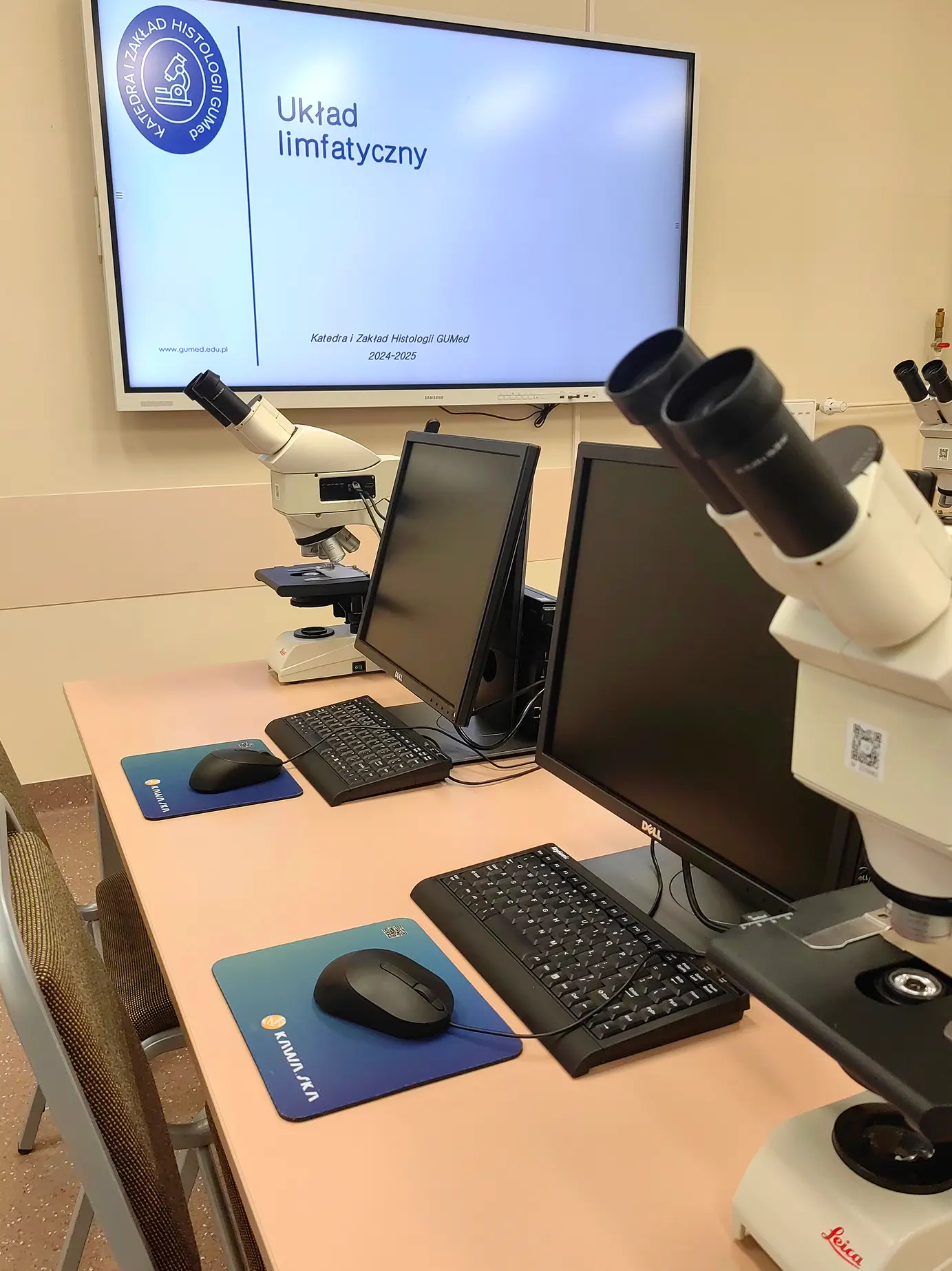
Microscopy Classroom Modernisation – GUMed Case Study
The Medical University of Gdańsk carried out the modernisation of four microscopy classrooms in December 2024. The implementation covered the installation of microscope cameras, local network configuration and the launch of the Class.room system.
The university gained modern microscopy classroom equipment that raised the quality of education and enabled students and academic staff to work with top-class equipment. The completion of this project marks an important step towards the development of GUMed’s educational infrastructure.
Frequently Asked Questions
Have questions or want to see
Class.room in action?
Contact us to find out how the Class.room system can improve microscopy classroom management at your university or institute.
We will be happy to answer your questions and help you find the right configuration for your needs.